A study in the finish
Space after the distractions
A utility room presented with the temporary clutter removed.
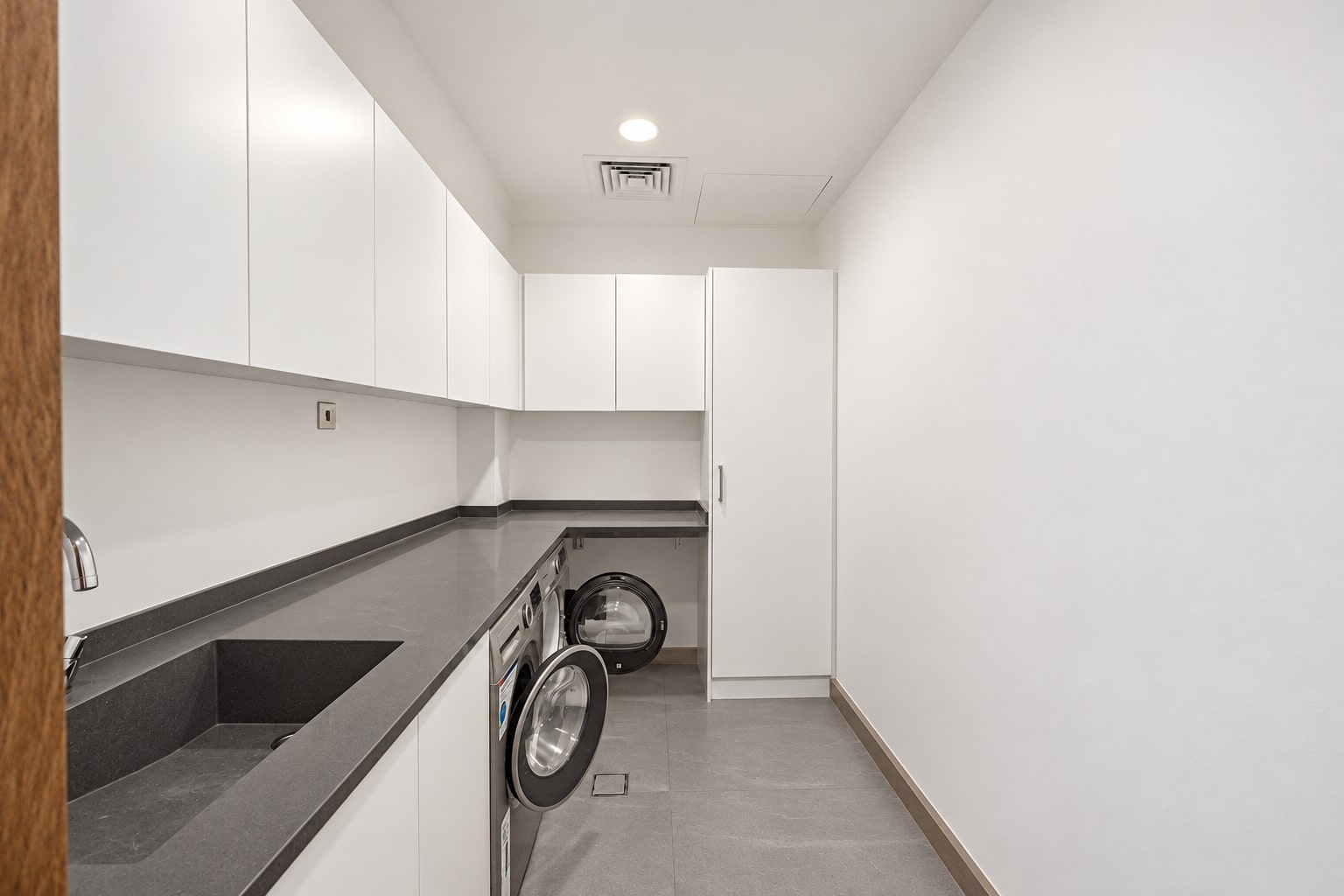
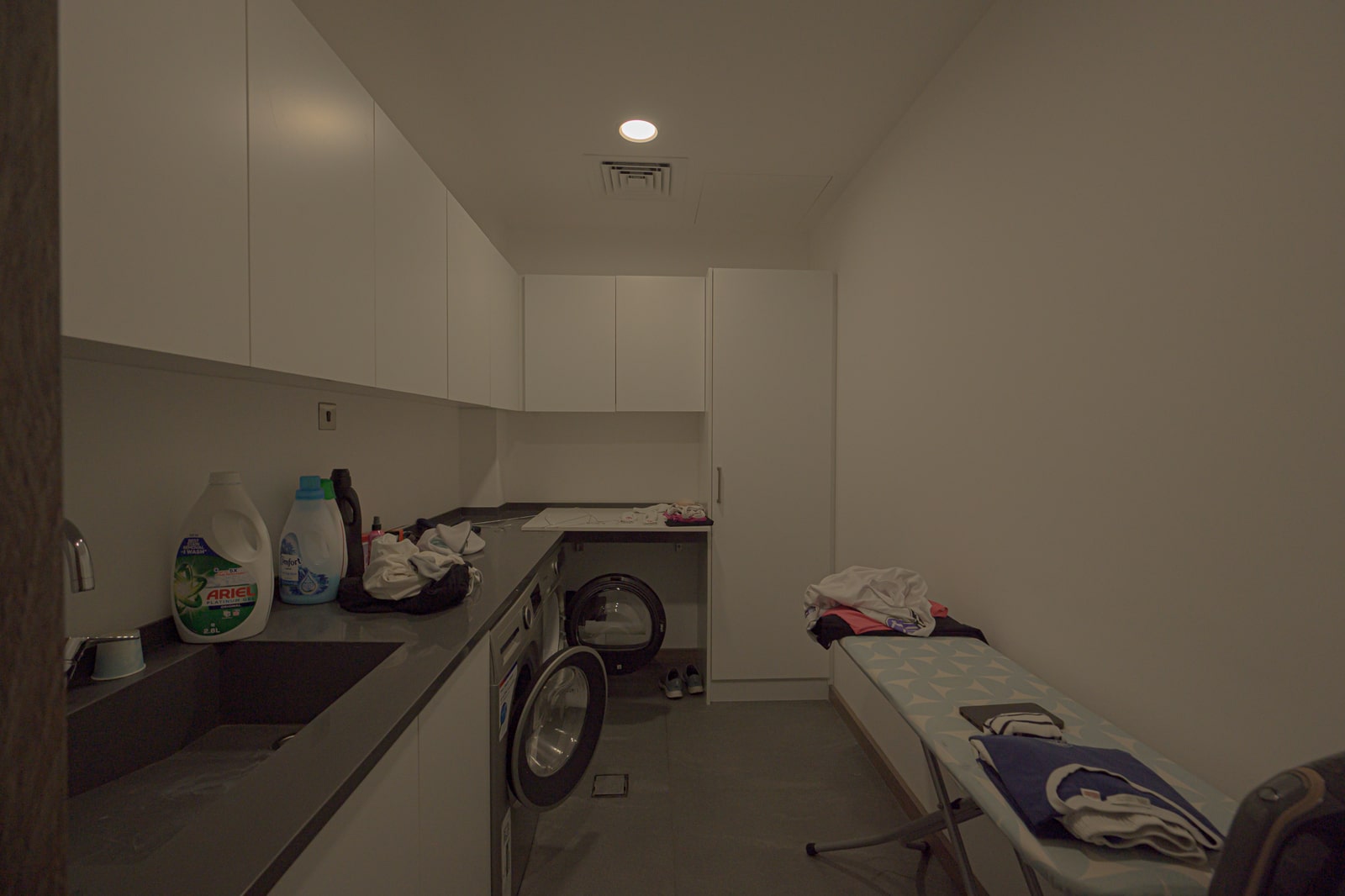
Drag across the photo or use the comparison control. The full frame stays visible.
- Finish
- Selective cleanup
- Reviewed by
- DUNEFORMA · Version 1
- Approved
- 20 October 2026
- Workflow
- Imported finish, reviewed in DUNEFORMA
01 / The direction
The visual brief.
Remove the ironing board, laundry and loose cleaning items, while retaining the permanent room and appliances.
02 / The visible finish
What to notice.
The worktop and floor are clear in the result. Cabinets, sink and washing machines become the main elements, with a brighter, more neutral finish.
03 / Look closer
The review matters.
Use the enlarged comparison to make your own assessment. These are review points, not automatic pass certificates.
- 01
Compare cabinet seams, appliance doors and sink position.
- 02
Inspect the areas revealed by removed objects; they include reconstructed content.
- 03
Confirm the agreed removals before using this as a property listing image.
04 / Working with DUNEFORMA
Less scattered.
More considered.
The finished edit was imported and approved in the studio. DUNEFORMA keeps the original, result and review decision together; requested changes can be tracked as a new version.
The style name is an editorial description of this finish. It is not a guarantee that a preset alone will reproduce the result on a different photograph.
See the full workflow ↗Make it your starting point.
Bring this example into your sample brief. We’ll discuss how to adapt the finish to your photography.
Three edits · One shoot · One combined refinement round.
Scope, availability and date agreed first.
Full-frame web previews; no new comparison alignment or crop. See collection notes and the editing disclosure for context.